

命令行方式升级 MLNX-OS
要升级 MLNX-OS,请执行以下步骤。
- Enter Config mode.
switch > enable
switch # configure terminal
switch (config) #
- Display the currently available image (.img file).
switch (config) # show images
Installed images:

   Partition 1:
   X86_64 3.8.2102 2019-11-26 21:48:40 x86_64

   Partition 2:
   X86_64 3.8.2102 2019-11-26 21:48:40 x86_64

Last boot partition: 1
Next boot partition: 1

Images available to be installed:
 webimage.tbz
 X86_64 3.8.2102 2019-11-26 21:48:40 x86_64

Serve image files via HTTP/HTTPS: no

No image install currently in progress.

Boot manager password is set.

Image signing: trusted signature always required
Admin require signed images: yes

Settings for next boot only:
   Fallback reboot on configuration failure: yes (default)
- Delete the image listed under “Images available to be installed” prior to fetching the new image. Use the command “image delete” for this purpose.
switch (config) # image delete webimage.tbz
- Fetch the new software image.
switch (config) # image fetch scp://root@192.168.1.10/root/image-X86_64-3.9.1906.img
Password (if required): ****** 100.0%[##############################################]
- Display the available images again and verify that the new image now appears under “Images available to be installed”.
switch (config) # show images
Installed images:

   Partition 1:
   X86_64 3.8.2102 2019-11-26 21:48:40 x86_64

   Partition 2:
   X86_64 3.8.2102 2019-11-26 21:48:40 x86_64

Last boot partition: 1
Next boot partition: 1

Images available to be installed:
 webimage.tbz
 X86_64 3.9.1906 2020-11-01   x86_64

Serve image files via HTTP/HTTPS: no

No image install currently in progress.

Boot manager password is set.

Image signing: trusted signature always required
Admin require signed images: yes

Settings for next boot only:
   Fallback reboot on configuration failure: yes (default)
- Install the new image.
switch (config) # image install webimage.tbz
Step 1 of 4: Verify Image
 100.0%   [#############################################################]
Step 2 of 4: Uncompress Image
 100.0%   [#############################################################]
Step 3 of 4: Create Filesystems
 100.0%   [#############################################################]
Step 4 of 4: Extract Image
 100.0%   [#############################################################]
- Have the new image activate during the next boot.
switch (config) # image boot next
- Run “show images” to review your images.
switch (config) # show images
Installed images:

   Partition 1:
   X86_64 3.8.2102 2019-11-26 21:48:40 x86_64

   Partition 2:
   X86_64 3.9.1906 2020-11-01 21:48:40 x86_64

Last boot partition: 1
Next boot partition: 2

Images available to be installed:
 webimage.tbz
 X86_64 3.9.1906 2020-11-01 21:48:40 x86_64

Serve image files via HTTP/HTTPS: no

No image install currently in progress.

Boot manager password is set.

Image signing: trusted signature always required
Admin require signed images: yes

Settings for next boot only:
   Fallback reboot on configuration failure: yes (default)
- Save current configuration.
switch (config) # configuration write
- Reboot to run the new image.
switch (config) # reload
Configuration has been modified; save first? [yes] yes
Configuration changes saved.
Rebooting...
web方式升级IB交换机
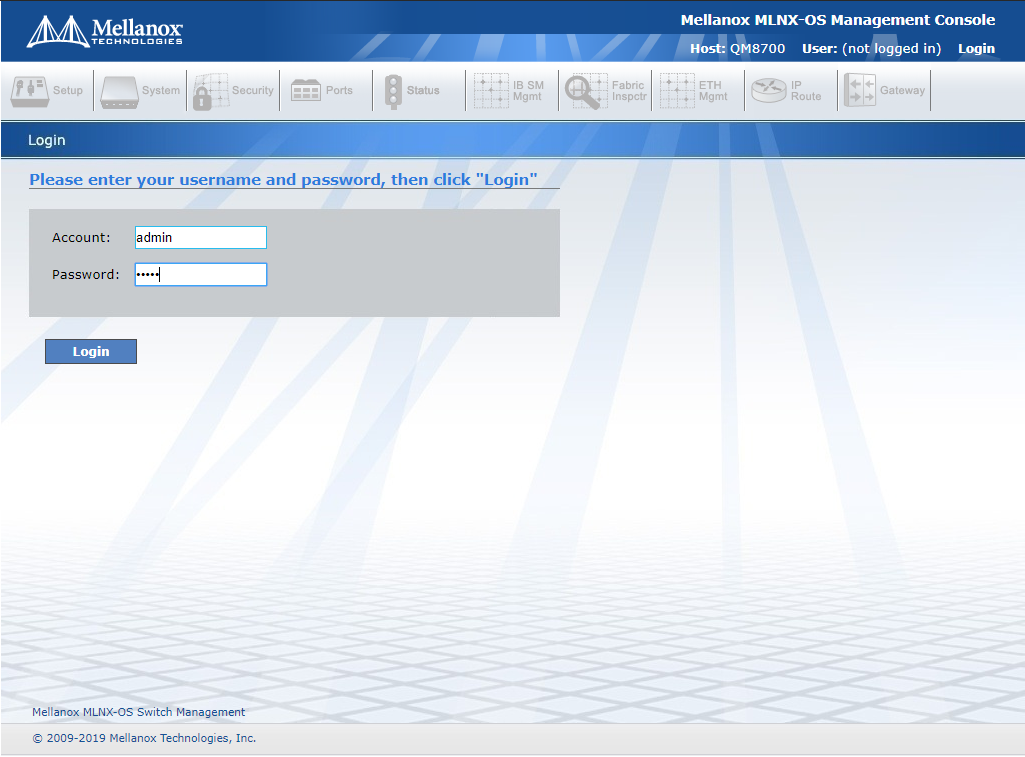
- 使用浏览器登录交换机。
- 选择系统选项卡。

- 选择MLNX-OS 升级。

- 从本地文件安装:“选择文件”

- 选择您机器上加载的映像文件,然后单击“打开”

- 单击“安装映像”

- 将显示加载栏,直到图像下载完毕。

- 升级状态MLNX-OS 升级将显示在下面,并且安装过程将开始。

- 当所有步骤都标记为“完成”时,安装将完成。单击“确定”返回“MLNX-OS 升级”页面。

- 确保非活动分区显示(下次启动的分区)

- 选择重新启动。

- 单击重新启动。

- 将显示一个警告框,询问您是否要重新启动。单击重新启动。

- 重新启动后,返回MLNX-OS 升级部分并确保正确的分区现在处于活动状态。